 Photo Sprite
Too many photos?
Just ask
for the one you need.
“Find my best travel photos this year and make an album.” Photo Sprite understands the request, finds and picks photos, then proposes the change for your review.
Requires iOS 26 or later · English / 简体中文 · AI assistant is optional
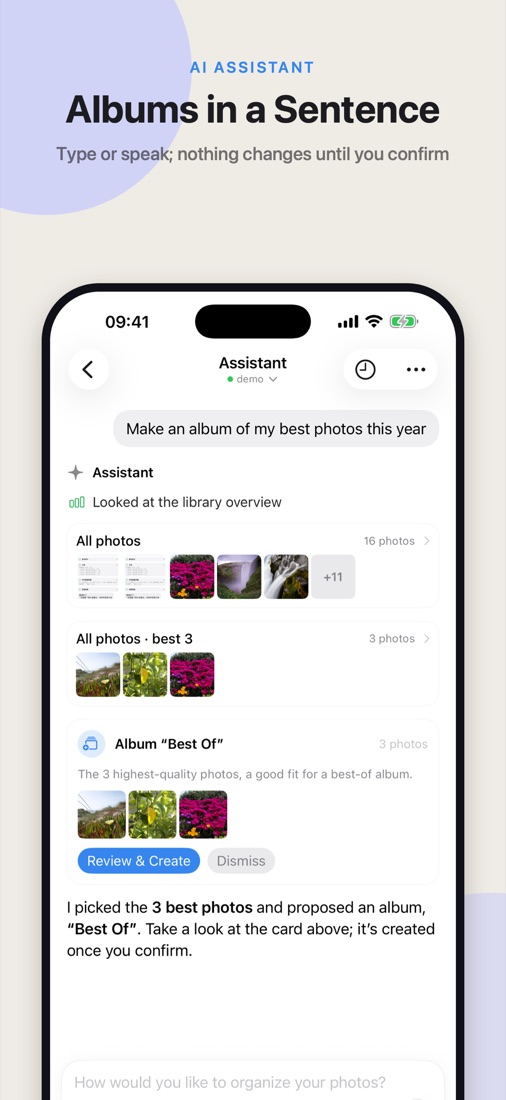
Say what you have in mind.
Type or speak to the assistant. It searches and filters using photo information already analyzed on your iPhone.
“Pick the 10 best shots from my trips this year and make an album.”Find photos · pick favorites · propose an album
“Find the screenshot with my Wi-Fi password.”Search text recognized in screenshots
“Which old screenshots could I clean up?”Collect candidates · review each photo
From a request to an album in three steps.
Describe what you want
Type, use voice input, or talk back and forth in conversation mode. Resume an earlier chat anytime.
See photos and proposal cards
The assistant shows the photos it found and proposes an album or cleanup. Open a photo for a closer look.
Confirm before anything changes
Adjust what to keep, then choose whether to create the album or delete. iOS also confirms deletions.
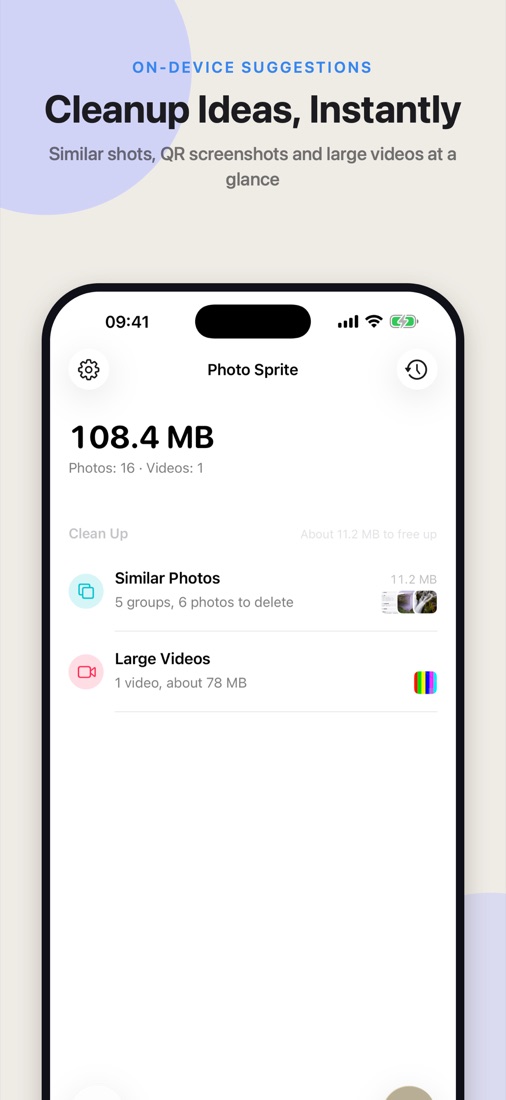
Open the app to find cleanup suggestions waiting.
Photos are analyzed on your iPhone. Similar shots, old and QR code screenshots, blurry photos and large videos are grouped for review, alongside monthly picks and trip album suggestions.
- Keep the better shotSimilar photos get a recommended keeper based on quality and portrait capture.
- Look before you cleanReview each photo and deselect what you want to keep. Deleted photos remain recoverable in Recently Deleted.
- Only new photos after the first scanOnce indexed, new or changed photos are processed as they arrive.
Your iPhone understands the photos first.
Quality, content, text and QR code analysis runs on device. You choose whether to use the AI assistant and which provider to connect with your own API key or account.
Start with “Where’s that photo?”
Find photos, pick favorites, build albums, and see exactly what you’re cleaning up.
Download on the App Store ↗